Find Free WiFi Safe Anywhere Now
You’re out of mobile data and need to get online fast. Have you considered how many free WiFi spots surround you right now? Finding secure free internet is easier than ever when you know where to look and how to stay safe.
Nota: todos os links são para conteúdos dentro do nosso próprio site.
Free WiFi has become essential infrastructure in modern cities. Coffee shops, libraries, airports, and restaurants offer connectivity without a subscription. But security matters—using public networks carelessly exposes your data to theft. This guide shows you exactly where to find reliable free internet and how to protect yourself while using it.
Where to Find Free WiFi Near You
The most obvious places often have the strongest signals and most reliable connections. Starbucks, McDonald’s, and similar chains provide free WiFi in nearly every location worldwide. You don’t even need to buy anything at many of these spots.
- Coffee Shops: Usually offer fast, open networks without passwords
- Public Libraries: Free WiFi plus computer access, often no purchase required
- Shopping Malls: Common area networks available throughout most malls
- Airports: Multiple free networks, though speeds vary by terminal
- Hotels: Lobby access even if you’re not a guest at many properties
- Parks and Public Spaces: Cities increasingly install free networks in outdoor areas
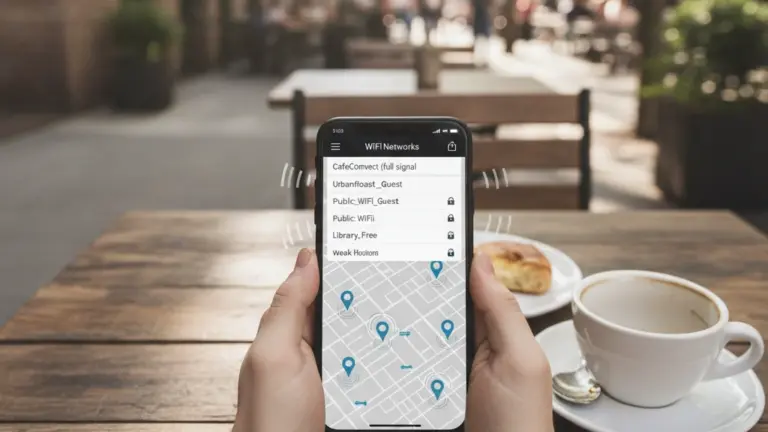
Your smartphone has built-in tools to find these networks. Most Android and iOS devices display available WiFi networks automatically. Look for networks with names like “Xfinity WiFi,” “FreeWiFi,” or business names—these are typically open public networks.
Apps That Locate Free WiFi Instantly
Several mobile applications specialize in mapping free WiFi locations near you. These apps save time by eliminating the guessing game.
WiFi Map is one of the most popular options, displaying thousands of verified free networks with user ratings and passwords. The app works offline, showing cached locations even without an active connection. Wehe tests connection quality and speed, helping you choose the fastest networks in your area.
Instabridge provides a database of over 50 million WiFi networks and their passwords shared by users. Real-time updates mean you get current information about network availability. OpenSignal includes WiFi mapping alongside mobile network coverage analysis.
These apps typically offer free versions with advertising, plus premium options for ad-free experience. Most require minimal permissions and run efficiently on older devices.
Security Risks on Public Networks
Free WiFi convenience comes with real security concerns. Cybercriminals actively monitor public networks, intercepting unencrypted data like passwords and credit card information. Man-in-the-middle attacks happen when attackers position themselves between your device and the network router.
“Evil twin” networks pose another serious threat. These fake networks mimic legitimate WiFi names, tricking users into connecting to criminal-controlled systems. Once connected, hackers capture everything you transmit.
- Unencrypted Data: Emails, messages, and form entries visible to network monitors
- Malware Distribution: Attackers inject harmful software during downloads
- Account Takeover: Login credentials stolen without SSL encryption
- Device Hacking: Unpatched devices vulnerable to network-based exploits
How to Use Public WiFi Safely
Protection starts with understanding your vulnerabilities. VPN services encrypt your entire connection, making your data unreadable to network monitors. A VPN routes your traffic through secure servers, masking your IP address and location.
Reputable VPN providers include ExpressVPN, NordVPN, and ProtonVPN. Most offer mobile apps that activate with one tap before you connect to public networks. Free VPN options exist but often sell your data or limit bandwidth significantly.
Beyond VPN, disable automatic connection features. Set your device to manually select networks rather than auto-connecting to saved names. This prevents connecting to dangerous networks that mimic familiar names.
Never conduct sensitive transactions on public WiFi without VPN protection. Avoid banking, shopping, or password changes unless fully encrypted. Wait until you reach a secure home or office network for critical activities.
Free WiFi vs. Mobile Data Speed
Free networks don’t guarantee speed. Many public locations share bandwidth among dozens or hundreds of users simultaneously. During peak hours, speeds drop dramatically as network capacity gets overwhelmed.
Mobile data offers more consistent performance but consumes your monthly allowance. Strategic use of free WiFi extends your data plan. Download large files, stream video, or update apps when connected to public networks. Reserve mobile data for essential tasks requiring consistent speed.
Test network speed using apps like Ookla Speedtest before starting bandwidth-heavy activities. If speeds are below 5 Mbps, basic browsing works but video streaming will buffer constantly.
Tips for Finding Hidden WiFi Networks
Not all free networks broadcast their presence. Some businesses hide their SSID (network name) for security, though they still offer free public access. Your phone’s settings allow manual network entry when you know the network name and password.
Ask staff at shops, restaurants, and public spaces directly. Most provide WiFi information without difficulty. Business websites and social media pages often list network details for visitors.
- Staff Inquiry: Ask for network name and password at service counters
- Printed Materials: Check receipts and menus for connection information
- Website Lookup: Search business websites for guest WiFi details
- Social Media: Many businesses post WiFi info in location-based posts
WiFi Hotspot Sharing Programs
Internet service providers increasingly offer WiFi networks for customers and guests. Comcast’s Xfinity WiFi provides nationwide access to Comcast subscribers. The network appears publicly available, but login requires your Comcast account credentials.
Similar programs exist globally. Vodafone and other carriers operate public hotspots in many countries. These networks often provide better security than completely open systems because they require authentication.
Some cellular plans include hotspot features. If your data plan allows tethering, you can create your own secure network for other devices. This is safer than relying on public networks, though it consumes your mobile data.
Current Adoption of Free Public WiFi
Over 600 million public WiFi hotspots now operate worldwide, with growth accelerating. Urban areas in developed countries have the highest density, while developing regions are rapidly expanding coverage. This trend reflects growing recognition that internet access is essential infrastructure.
Cities are partnering with private companies to install networks in public spaces. Some programs offer completely free access funded by advertising. Others charge minimal fees for faster, priority service.
The shift toward public WiFi reduces reliance on cellular data. Users in connected cities often maintain data-only plans with minimal monthly allowances, using WiFi for the majority of their connectivity needs. This fundamentally changes how people budget for internet access.